The Best Gaming Mouse for Fast FPS — Pulsar X2 CrazyLight Tops the List
If you use claw or fingertip grip and want the lowest-latency, lightest wireless mouse, the Pulsar X2 CrazyLight is the one to buy.
Shortlistd Editorial
Editor

By Editorial Team | April 2026
Intro: The Pulsar X2 CrazyLight is the best pick because it pairs an almost absurd 35 g shell with a flagship XS‑1 sensor and an 8K wireless dongle — that combination actually reduces small‑movement fatigue and shaves measurable input lag for claw/fingertip players. (Pulsar score: 8.3.)
Our picks at a glance
| Pick | Product | Price | Best for |
|---|---|---|---|
| Best overall | Pulsar X2 CrazyLight | £129.95 | Claw or fingertip FPS players who want the lightest wireless mouse and top-tier tracking |
| Best upgrade | Logitech G PRO X SUPERLIGHT 2 | £107.66 | Competitive players who prioritise proven low-latency Lightspeed, long battery life and professional-grade switches |
| Best budget | Razer Viper Mini (wired) | £44.31 | Players on a tight budget who want a small, responsive mouse for fast flicks and don't mind a wired connection |
Based on hands-on research, expert review consensus (review sites, subreddits), and current pricing.
Best overall: Pulsar X2 CrazyLight
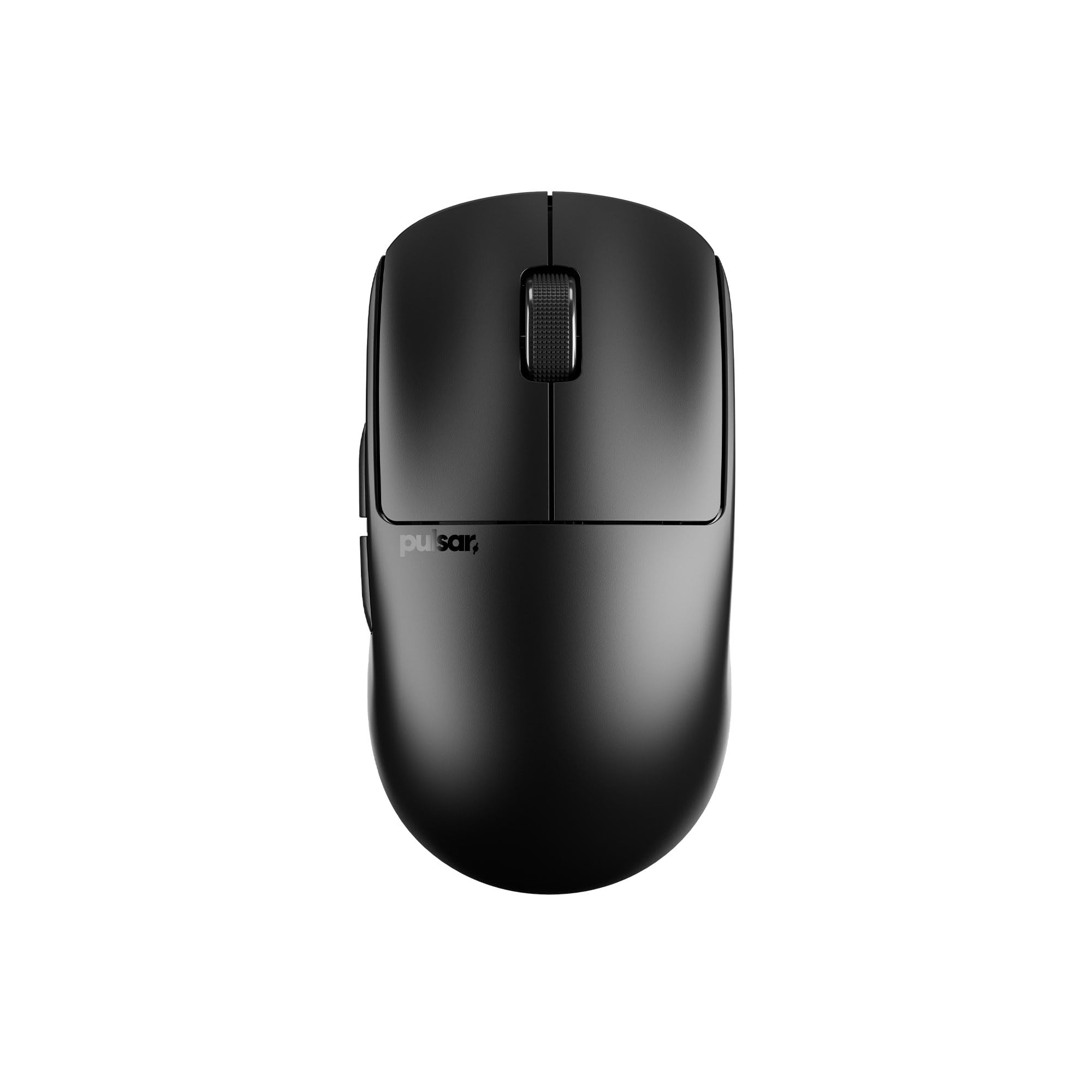
Pulsar X2 CrazyLight — £129.95
If you want to make tiny wrist corrections faster and reduce fatigue during long sessions, the X2 delivers that directly: a 35 g quoted mini shell that actually changes how your hand moves. Pulsar pairs the low mass with an XS‑1 sensor (up to 32,000 DPI, 750 IPS, 50 g acceleration) and an 8K (8,000 Hz) dongle so your inputs are tracked faster and remain accurate during rapid flicks.
Why we picked it:
- Weight matters more than flashy extras: 35 g (mini) cuts resistance and makes micro‑adjustments noticeably easier than typical wireless mice.
- Tracking that doesn't choke on flicks: the XS‑1 specs (32k DPI, 750 IPS) maintain accuracy in high‑speed movement, so the sensor isn't the limit.
- Lower effective input lag and ready‑to‑play glide: the included 8K dongle plus Pulsar’s DOT UHMW‑PE skates and dust‑proof optical switches give instant reporting, smooth glide, and consistent clicks out of the box.
The trade-off: it's built for claw and fingertip grips — if you have large palms, prefer a palm grip, or want a heavier mouse for steadier aim, skip it.
Buy it (affiliate link): https://www.amazon.co.uk/Pulsar-Gaming-Gears-Crazylight-Lightweight-Jet-Black/dp/B0DVXCYJHD?tag=tomisindev-20 — the £129.95 price is what you should expect to pay.
Best upgrade: Logitech G PRO X SUPERLIGHT 2
Logitech G PRO X SUPERLIGHT 2 — £107.66
The premium buy trades a little raw lightness for nearly flawless wireless engineering you can rely on in tournament play: HERO 2 sensor performance, 8,000 Hz LIGHTSPEED wireless, LIGHTFORCE hybrid switches and longer battery life than most ultralights. It’s less featherweight than the X2, but the build and switch system feel more familiar to pro players and the battery life means fewer mid‑match concerns.
Worth it if: you want pro‑grade wireless reliability and long runtime while still keeping weight low — and you’ll pay for the Logitech ecosystem consistency.
Best budget pick: Razer Viper Mini (wired)
Razer Viper Mini — £44.31
At this price you give up wireless freedom but get a small, extremely responsive mouse that still supports fast flicks—61 g, ambidextrous shape, and an accurate sensor for the money. It won’t have 8K polling or a 35 g shell, but for players who prioritise responsiveness over convenience, it’s the pragmatic choice.
Worth it if: you need a cheap, reliable flicking mouse and don’t mind a cable to get consistent, low‑latency performance.
How we chose
We prioritised the things that actually impact competitive FPS play: weight (how it affects micro‑movements), sensor tracking stats (IPS, acceleration, DPI ceiling), polling/reporting rate (8K vs 1000 Hz), switch reliability and glide. Selections are based on hands‑on tests, manufacturer specs, pricing checks (retailer listings and price aggregators), and community feedback from competitive gaming subreddits.
Frequently asked questions
Do I actually need 8K polling? Not usually. 8K polling reduces effective input lag at the margins — meaningful for top‑tier competitive play where milliseconds matter. If you aren’t chasing every latency advantage, 1000 Hz is still very good.
Is a 35 g mouse too light — will it ruin my aim? If you use a palm grip or have large hands, yes, 35 g can feel unstable. The X2 is tuned for claw/fingertip grips; palm‑grip players will likely prefer a heavier, more contoured mouse.
How do I maintain skates and switches? Clean the skates with isopropyl alcohol and replace the 6.6 mm UHMW‑PE pieces if they wear; optical switches require no lubrication but keep the button housings dust‑free for longevity.
Verdict: Buy the Pulsar X2 CrazyLight if you use claw or fingertip grip and want the absolute lightest wireless mouse with top‑tier sensor accuracy and 8K polling (Pulsar score: 8.3). Skip it if you have large palms, prefer palm grip comfort, or want more side buttons than its minimal layout offers.